
If you enjoy watching videos in high quality, you already know the feeling. Clear details. Sharp colors. Smooth motion.I still remember the first time I downloaded a 4K video hy using Snaptube app and it was my best experience.
I didn’t expect a big difference. But when I played it, the picture looked richer and cleaner than I imagined. Since then, I started paying more attention to Snaptube’s quality settings. Let me share what I learned from actually using it.
What Does 4K Really Mean?
Before talking about Snaptube app 4k quality video settings, let’s keep this simple.
Clearer and Sharper Video
As you know 4K has a much higher resolution than 720p or 1080p video quality. It shows more detail, especially on larger screens. If you watch travel videos, nature scenes, or any type of sports highlights, the difference becomes obvious.
Not Every Video Has 4K
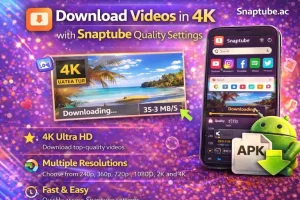
Snaptube Mod APK can download videos in 4K only if the original video is available in 4K. If a video was uploaded in 720p, you will not see a 4K option in the app. So first check the quality options shown in Snaptube. Then pick the one that suits you before starting the download.
How Snaptube Quality Settings Work
Choose Quality Before Download
When you tap the download button, you see a list of resolutions:
- 144p
- 360p
- 720p
- 1080p
- Sometimes 4K
You just tap the one you want.
Clear File Size Display
Snaptube shows the file size next to each resolution. That helps you decide based on storage and internet speed. From my own experience after using this app, this system feels straightforward and easy.
How to Download 4K Videos
Here’s the actual process to download video in 4K video Quality:
- Open Snaptube
- Search for the video
- Tap the download button
- Select 4KConfirm and start download
Before downloading any content video you need to make sure your device have enough storage. Your internet connection is stable to video any video Otherwise, the download might stop halfway.
Is 4K Worth It on a Phone?
On Big Screens
If you wants to watch the video on a smart TV or large tablet, 4K makes sense. The quality difference becomes noticeable.
On Small Screens
On mobile phone smaller screens, you may not notice a huge change between 1080p and 4K quality. Many times, I go with 1080p video quality since it takes up less space on my phone.
Internet Speed and 4K Downloads
As you know 4K quality always needs good internet with high speed.
Use WiFi When Possible
I prefer downloading 4K over WiFi. It’s faster and more stable.On mobile data, downloads take longer and use a lot of data.
Be Careful with Data Usage
One long 4K video can consume a big portion of your data plan. If you have limited data, think carefully before choosing 4K.
Storage Tips
4K takes space. Managing storage matters. Check Free Space First. I always check storage before downloading large files. Nothing is more frustrating than a download stopping at 90%.
Clean Old Files
By deleting old downloads and makes room for new ones. It also keeps the phone running smoothly. Smooth Playback Matters Too. Downloading in 4K is one thing. Playing it smoothly is another.
Device Support
Not all phones handle 4K perfectly. On newer devices, playback feels smooth. On older phones, you might notice small lag. Mid-range and high-end phones usually handle 4K better.
Try a Different Video Player
If playback lags, try another video player app. Sometimes the player makes a difference.
Comparing 720p, 1080p, and 4K
After trying different video qualities, here’s what I’ve noticed:
- 720p is good if you want to save storage. It works fine on small phone screens.
1080p gives the best balance. The video looks clear without taking too much space.
4K is great for special videos like travel, nature, or action scenes where details really matter.
For everyday videos, I usually choose 1080p. It gives good quality without using too much storage. It’s all about balance.
When 4K Makes the Most Sense
- You plan to watch on a TV
- You want the best possible quality
- You’re saving important videos long-term
Higher resolution means better future-proof quality.
My Honest Experience
The first time I watched a nature video in 4K quality. I noticed small details I hadn’t seen before in this app. Leaves looked sharper. Colors felt deeper. Movement looked smoother.
But I also realized something important. Not every video needs 4K. Sometimes the extra space and longer download time aren’t worth it. Now I choose based on the situation.
FAQ’s
Why don’t I see the 4K option?
The original video must support 4K. If it doesn’t, the option won’t appear.
Does 4K download faster?
No. It usually takes longer because the file size is bigger.
Is 4K always better?
In terms of quality, yes. But it’s not always necessary.
1080p is often more than enough.
Final Thoughts
Downloading 4K videos with Snaptube is very simple when you understand how quality settings work in Snaptube app. The app gives you clear options and full control about 4k video. If you have very strong internet connection and enough storage then you can download video in 4k quality.
Also if your device that supports 4k quality then it look amazing. But it’s also okay to choose lower quality when saving space or data matters more.That flexibility is what makes Snaptube convenient for everyday use.